PDF files are one of the most trusted document formats for sharing resumes, invoices, reports, contracts, presentations, assignments, and official records. However, large PDF files can become a problem when uploading to websites, sending via email, or saving on devices with limited storage.
PDFTAK.COM offers a powerful Compress PDF Online tool that helps you reduce PDF file size quickly without compromising document quality. Whether you’re a student, office employee, freelancer, or business owner, our online PDF compressor makes document management faster and easier.
What Is PDF Compression?
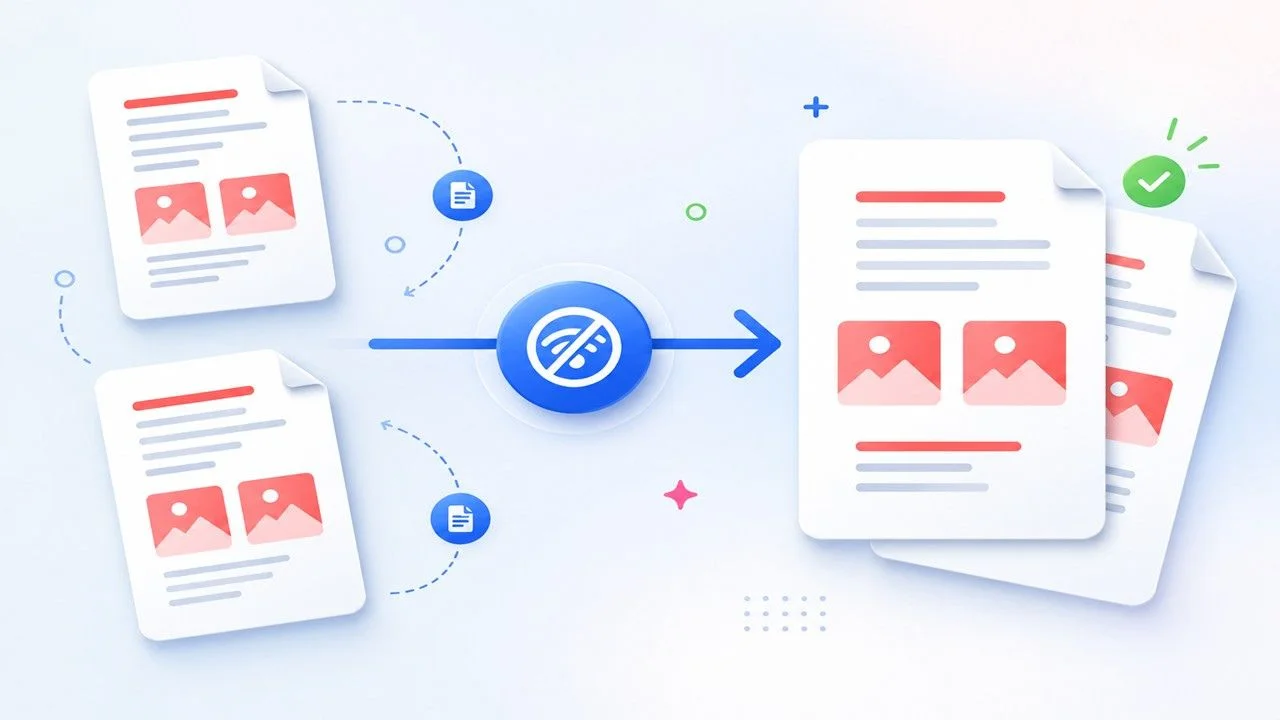
PDF compression is the process of reducing the size of a PDF document by optimizing its internal structure. During compression, unnecessary data is removed, images are optimized, and redundant information is minimized while keeping the document readable.
The result is a smaller PDF that is easier to upload, download, share, and store.
Why Are Some PDF Files So Large?
Several factors contribute to large PDF file sizes.
High-Quality Images
Documents containing HD photographs or scanned images usually occupy much more storage space.
Scanned Documents
Scanned PDFs are image-based rather than text-based, making them significantly larger.
Multiple Pages
The more pages a document contains, the larger its overall file size becomes.
Embedded Fonts
Custom fonts included inside a PDF increase its size.
Graphics and Visual Elements
Charts, illustrations, diagrams, logos, and other design elements also contribute to larger file sizes.
Benefits of Compressing PDF Files
Using an online PDF compressor provides numerous advantages.
Faster Upload Speed
Smaller files upload much faster to websites, portals, and cloud storage.
Easy Email Sharing
Most email providers limit attachment sizes. Compression helps you stay within those limits.
Save Storage Space
Compressed PDFs consume less storage on your computer, smartphone, and cloud accounts.
Faster Downloads
Recipients can download optimized files quickly, even on slower internet connections.
Improved Productivity
Smaller documents are easier to organize, archive, and share across teams.
How to Compress PDF Online Using PDFTAK.COM
Compressing a PDF takes only a few simple steps.
Step 1: Upload Your PDF
Select the PDF file you want to reduce in size.
Step 2: Start Compression
Our intelligent compression engine automatically analyzes and optimizes the document.
Step 3: Wait a Few Seconds
The compression process completes within seconds for most files.
Step 4: Download Your Compressed PDF
Download the optimized file and use it immediately.
No software installation or technical knowledge is required.
Features of PDFTAK.COM Compress PDF Tool
Our online PDF compressor is designed for speed, simplicity, and reliability.
- Fast PDF Compression
- High-Quality Output
- Browser-Based Tool
- Mobile Friendly
- Secure File Processing
- User-Friendly Interface
- No Software Installation
- Supports Large PDF Files
- Works on All Major Browsers
- Free to Use
Who Can Benefit from PDF Compression?
Students
Reduce assignment, thesis, project report, and research paper sizes before uploading to educational portals.
Business Professionals
Compress contracts, invoices, quotations, presentations, and reports for easier sharing.
Government Applicants
Many government websites have strict upload size limits. PDF compression helps meet those requirements.
Freelancers
Deliver client documents quickly without worrying about large file sizes.
Remote Teams
Optimize PDFs for faster collaboration through email and cloud storage.
Common Uses of PDF Compression
Our Compress PDF tool is ideal for:
- Uploading resumes to job portals
- Sending documents via email
- Government application submissions
- College and university assignments
- Project reports
- Office documentation
- Digital document archives
- Cloud storage optimization
- Client document sharing
- Business presentations
Does PDF Compression Affect Quality?
Many users worry that compressing a PDF will ruin its quality.
Modern compression technology minimizes quality loss while significantly reducing file size.
In most cases:
- Text remains sharp and readable.
- Document formatting stays intact.
- Images retain good visual quality.
- Tables and charts remain clear.
- Page layout is preserved.
The final result depends on the original document quality and selected compression level.
Advantages of Using an Online PDF Compressor
No Installation Needed
Compress PDFs directly in your browser without downloading any software.
Compatible with Every Device
Works seamlessly on:
- Windows
- macOS
- Linux
- Android
- iPhone
- iPad
Fast Results
Most PDF files are compressed within seconds.
Access Anywhere
Use the tool anytime from home, school, office, or while traveling.
Why Choose PDFTAK.COM?
PDFTAK.COM provides reliable, secure, and easy-to-use document management tools for everyone.
Our platform includes:
- Compress PDF
- Merge PDF
- Split PDF
- PDF to Word
- Word to PDF
- JPG to PDF
- PDF to JPG
- OCR PDF
- Protect PDF
- Unlock PDF
- Rotate PDF
- Organize PDF Pages
- AI PDF Tools
- Document Conversion Tools
Every tool is designed to help users work smarter and manage PDF documents efficiently.
Tips for Better PDF Compression
To achieve the best results:
- Use optimized images before creating the PDF.
- Remove unnecessary blank pages.
- Avoid embedding unused fonts.
- Compress scanned documents separately if needed.
- Choose the appropriate compression level based on your purpose.
Frequently Asked Questions (FAQs)
Is the Compress PDF tool free?
Yes. PDFTAK.COM allows users to compress PDF files online for free with basic functionality.
Can I compress large PDF documents?
Yes. Large PDF files can be compressed successfully, depending on the maximum upload limit supported.
Is account registration required?
No. You can compress PDFs without creating an account.
Will my document formatting change?
No. The compression process is designed to preserve formatting, layout, and readability.
Can I compress PDF files on mobile devices?
Yes. The tool works perfectly on Android smartphones, iPhones, tablets, and other mobile devices.
Is my uploaded PDF secure?
Yes. Your files are processed securely, and user privacy is always a priority.
Final Thoughts
Large PDF files can slow down uploads, exceed email attachment limits, and consume unnecessary storage space. Using an efficient online PDF compressor is the easiest way to solve these issues.
With PDFTAK.COM, you can compress PDF files online in just a few clicks while maintaining excellent document quality. Whether you’re submitting assignments, sharing business documents, uploading files to government portals, or organizing your digital archive, our Compress PDF tool offers a fast, secure, and hassle-free solution.
Start using PDFTAK.COM Compress PDF Online today and enjoy smaller file sizes, quicker uploads, easier sharing, and better document management.